🪐 ⚛️ Components
Jupyter UI provides a comprehensive set of React.js components for building interactive data applications. As a React.js developer, you just write a few lines of code to get a live notebook, cell, terminal, or any Jupyter component in your application.
Packages Overview
Jupyter UI is organized into several packages:
| Package | Description | npm |
|---|---|---|
@datalayer/jupyter-react | Core React components for Jupyter |  |
@datalayer/jupyter-lexical | Rich document editor with executable Jupyter cells |  |
@datalayer/jupyter-embed | Drop-in embed script for any website |  |
@datalayer/jupyter-react Components
The main package provides the following components:
Core Components
| Component | Description |
|---|---|
| JupyterReactTheme | Theme provider for Jupyter configuration and styling |
| Cell | Single executable code or markdown cell |
| Notebook | Full Jupyter notebook with all features |
| Console | Interactive REPL-style console |
| Terminal | Full terminal emulator |
| Output | Display Jupyter outputs (text, images, HTML, etc.) |
File & Navigation Components
| Component | Description |
|---|---|
| File Browser | Browse and manage files on Jupyter server |
| File Manager | Advanced file management interface |
| Viewer | Read-only notebook viewer |
Kernel Components
| Component | Description |
|---|---|
| Kernel | Kernel management and status |
| Kernel Selector | Select from available kernels |
| Kernel Status | Display kernel connection status |
| Kernel Variables | Inspect kernel variables |
| Kernel Logs | View kernel output logs |
UI Components
| Component | Description |
|---|---|
| Button | Jupyter-styled buttons |
| JupyterLab App | Full JupyterLab as a React component |
| Commands | Command palette integration |
| Dialog | Modal dialogs |
| Settings | Settings editor |
| CodeMirror | Code editor component |
Quick Example
import { JupyterReactTheme, Cell, useJupyter } from '@datalayer/jupyter-react';

function App() {
  const { defaultKernel } = useJupyter({
    jupyterServerUrl: 'http://localhost:8888',
    jupyterServerToken: 'your-token',
    startDefaultKernel: true,
  });

  return (
    <JupyterReactTheme>
      {defaultKernel && (
        <Cell kernel={defaultKernel} source="print('Hello, Jupyter!')" />
      )}
    </JupyterReactTheme>
  );
}
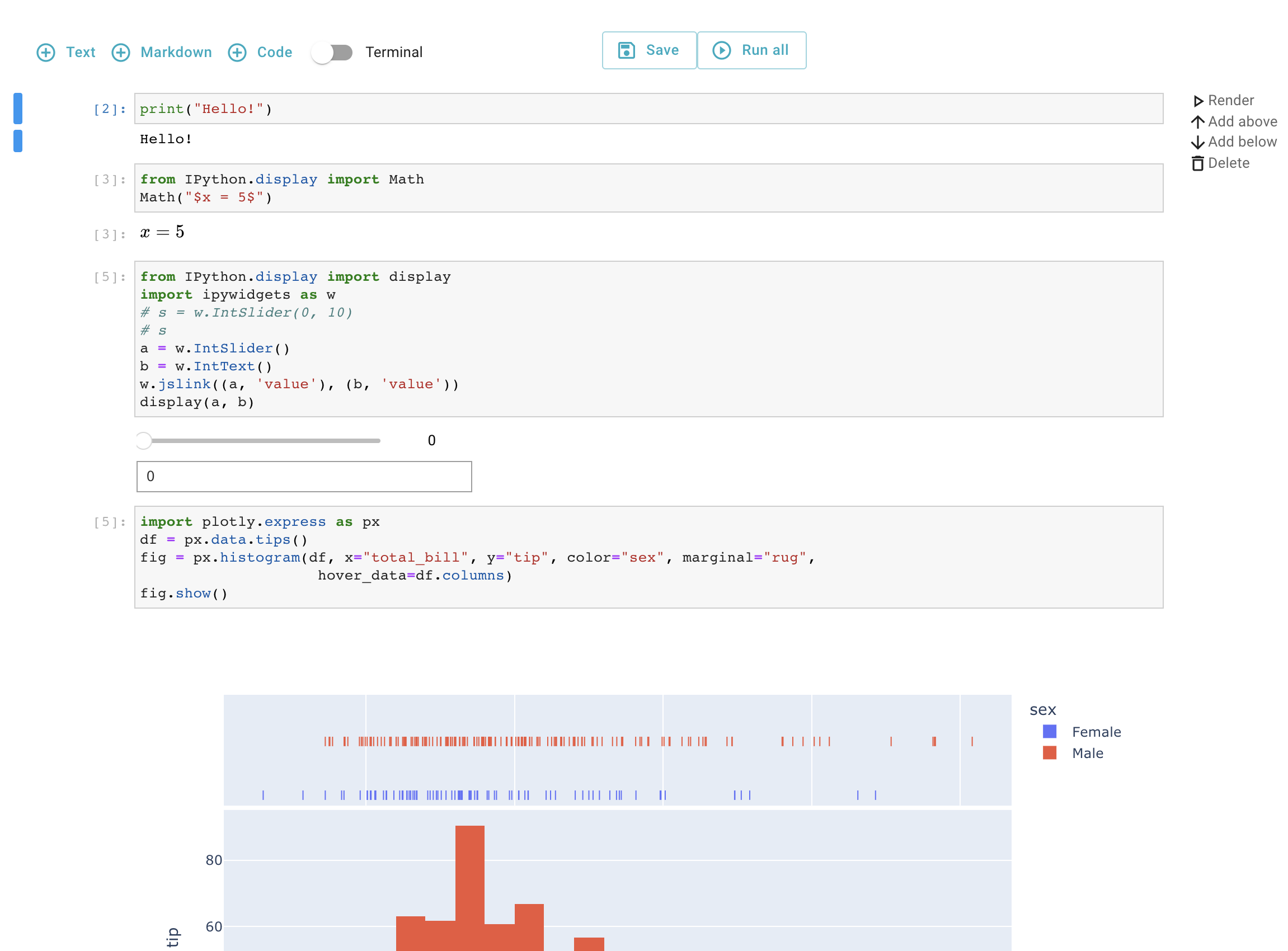
Features
The Jupyter UI components support:
- State Management: Predefined Zustand actions for reactive state
- Single React Tree: Components integrate into your application's React tree
- IPyWidgets: Full support for interactive widgets
- Collaboration: Real-time collaborative editing (RTC)
- Theming: Works with Primer React, Material-UI, and custom themes
- In-Browser Kernels: Pyodide and JupyterLite support
- Authentication: Jupyter token-based authentication
- Terminals: Full terminal emulator support
Related Packages
- @datalayer/jupyter-lexical - Rich document editor with Jupyter cells
- @datalayer/jupyter-embed - Easy embedding for any website
Notebook
The Notebook component.
Cell
The Cell component.
Console
The Console component.
Terminal
The Terminal component.
Button
The Button component.
Output
Output component for displaying code execution results
Kernel
Components for managing Jupyter kernels - monitoring status, selecting kernels, inspecting variables, and controlling kernel lifecycle.
Viewer
The Viewer component.
File Manager
The File Manager component.
File Browser
File Browser component for navigating Jupyter server contents
JupyterLabApp
The JupyterLabApp component - Full JupyterLab as a React component.