🪐 ⚛️ Components
Jupyter UI provides a comprehensive set of React.js components for building interactive data applications. As a React.js developer, you just write a few lines of code to get a live notebook, cell, terminal, or any Jupyter component in your application.
Packages Overview
Jupyter UI is organized into several packages:
| Package | Description | npm |
|---|---|---|
@datalayer/jupyter-react | Core React components for Jupyter |  |
@datalayer/jupyter-lexical | Rich document editor with executable Jupyter cells |  |
@datalayer/jupyter-embed | Drop-in embed script for any website |  |
@datalayer/jupyter-react Components
The main package provides the following components:
Core Components
| Component | Description |
|---|---|
| JupyterReactTheme | Theme provider for Jupyter configuration and styling |
| Cell | Single executable code or markdown cell |
| Notebook | Full Jupyter notebook with all features |
| Console | Interactive REPL-style console |
| Terminal | Full terminal emulator |
| Output | Display Jupyter outputs (text, images, HTML, etc.) |
File & Navigation Components
| Component | Description |
|---|---|
| File Browser | Browse and manage files on Jupyter server |
| File Manager | Advanced file management interface |
| Viewer | Read-only notebook viewer |
Kernel Components
| Component | Description |
|---|---|
| Kernel | Kernel management and status |
| Kernel Selector | Select from available kernels |
| Kernel Status | Display kernel connection status |
| Kernel Variables | Inspect kernel variables |
| Kernel Logs | View kernel output logs |
UI Components
| Component | Description |
|---|---|
| Button | Jupyter-styled buttons |
| JupyterLab App | Full JupyterLab as a React component |
| Commands | Command palette integration |
| Dialog | Modal dialogs |
| Settings | Settings editor |
| CodeMirror | Code editor component |
Quick Example
import { JupyterReactTheme, Cell, useJupyter } from '@datalayer/jupyter-react';

function App() {
  const { defaultKernel } = useJupyter({
    jupyterServerUrl: "http://localhost:8888",
    jupyterServerToken: "your-token",
    startDefaultKernel: true,
  });

  return (
    <JupyterReactTheme>
      {defaultKernel && (
        <Cell kernel={defaultKernel} source="print('Hello, Jupyter!')" />
      )}
    </JupyterReactTheme>
  );
}
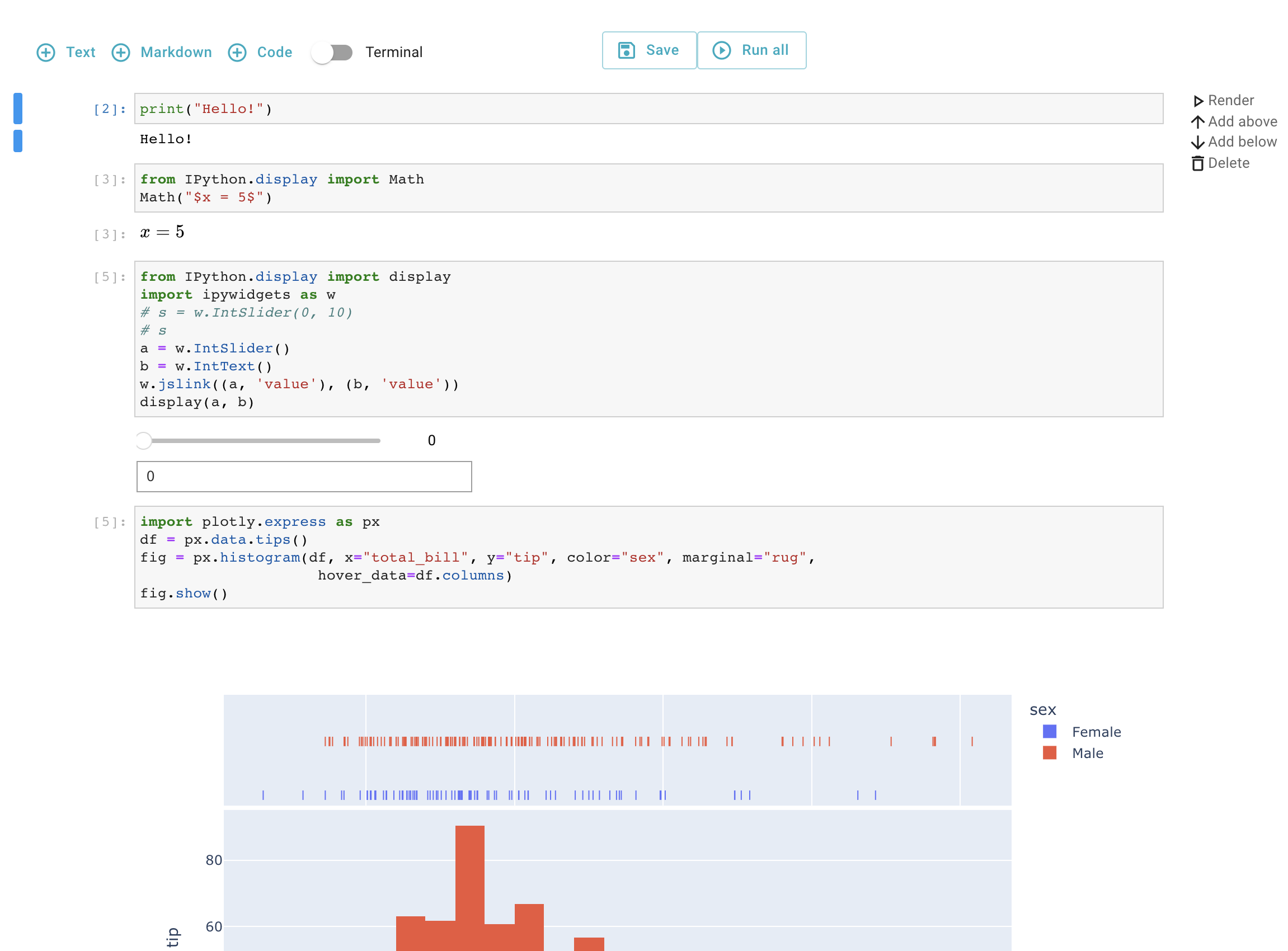
Features
The Jupyter UI components support:
- State Management: Predefined Zustand actions for reactive state
- Single React Tree: Components integrate into your application's React tree
- IPyWidgets: Full support for interactive widgets
- Collaboration: Real-time collaborative editing (RTC)
- Theming: Works with Primer React, Material-UI, and custom themes
- In-Browser Kernels: Pyodide and JupyterLite support
- Authentication: Jupyter token-based authentication
- Terminals: Full terminal emulator support
Related Packages
- @datalayer/jupyter-lexical - Rich document editor with Jupyter cells
- @datalayer/jupyter-embed - Easy embedding for any website
📄️ Notebook
The Notebook component.
📄️ Cell
The Cell component.
📄️ Console
The Console component.
📄️ Terminal
The Terminal component.
📄️ Button
The Button component.
📄️ Output
Output component for displaying code execution results
📄️ Kernel
Components for managing Jupyter kernels - monitoring status, selecting kernels, inspecting variables, and controlling kernel lifecycle.
📄️ Viewer
The Viewer component.
📄️ File Manager
The File Manager component.
📄️ File Browser
File Browser component for navigating Jupyter server contents
📄️ JupyterLabApp
The JupyterLabApp component - Full JupyterLab as a React component.